# 虚拟化 Virtualization
### 介绍
虚拟化在我们解决方案中占据重要地位;我们使用它来保护我们的解决方案。
**如何检查虚拟化是否已启用:**
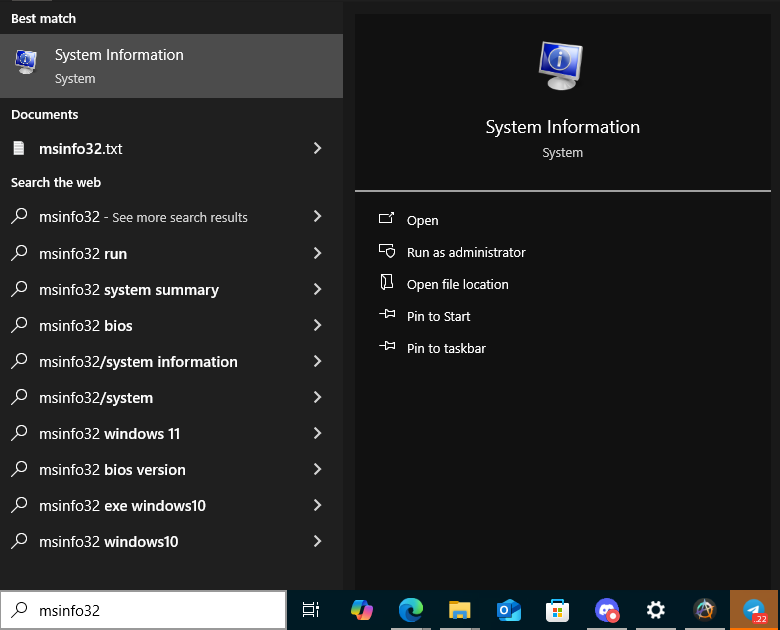
1. **打开 msinfo32**
* 在 Windows 搜索中输入 "msinfo32" 来打开系统信息。
2. **转到系统摘要**
* 打开“系统摘要”部分。
3. **查找虚拟化行**
* 找到名为 "Hyper-V - 固件中已启用虚拟化" 的行。如果显示 "是",则表示已启用虚拟化。
* 也可能显示 "基于虚拟化的安全" 而不是 "Hyper-V - 固件中已启用虚拟化";如果显示如此,也表示已启用虚拟化。
只有在使用我们加载器的稳定版本的游戏中才需要开启虚拟化。要了解版本是否稳定,请查看启动器的顶部:
如果显示 "版本:Next State: STABLE",则需要开启虚拟化。
### 启用虚拟化
1. **在 AMD 平台上启用虚拟化**
* 打开高级设置。
* 打开“高级”部分。
* 找到 SVM 模式选项。
* 将值设置为“已启用”。
* 保存您的 BIOS 设置并重新启动您的电脑。
* 您可以观看视频指南:
2. **在 INTEL 平台上启用虚拟化**
* 打开高级设置。
* 打开“高级”部分。
* 找到 INTEL 虚拟化技术选项。
* 将值设置为“已启用”。
* 保存您的 BIOS 设置并重新启动您的电脑。
* 您可以观看视频指南:\[INTEL 虚拟化视频指南]\(Video URL) *(请在此处替换为实际的视频 URL)*
---
# Agent Instructions: Querying This Documentation
If you need additional information that is not directly available in this page, you can query the documentation dynamically by asking a question.
Perform an HTTP GET request on the current page URL with the `ask` query parameter:
```
GET https://dms666.gitbook.io/dms-service/fu-zhu-fen-lei/fecurity-fr-lang-tou/fecurity-shi-yong-qian-zhi/xu-ni-hua-virtualization.md?ask=
```
The question should be specific, self-contained, and written in natural language.
The response will contain a direct answer to the question and relevant excerpts and sources from the documentation.
Use this mechanism when the answer is not explicitly present in the current page, you need clarification or additional context, or you want to retrieve related documentation sections.